In this article
What is RTO in e-commerce?Why do COD orders come back?Step 1: confirm every COD order on WhatsAppStep 2: decide what happens to each orderStep 3: fix the address while they are talking to youStep 4: call the right orders firstStep 5: make paying online the easy choiceStep 6: save a failed delivery the same dayStep 7: write down why each order came backCan you do this without a calling team?Questions people ask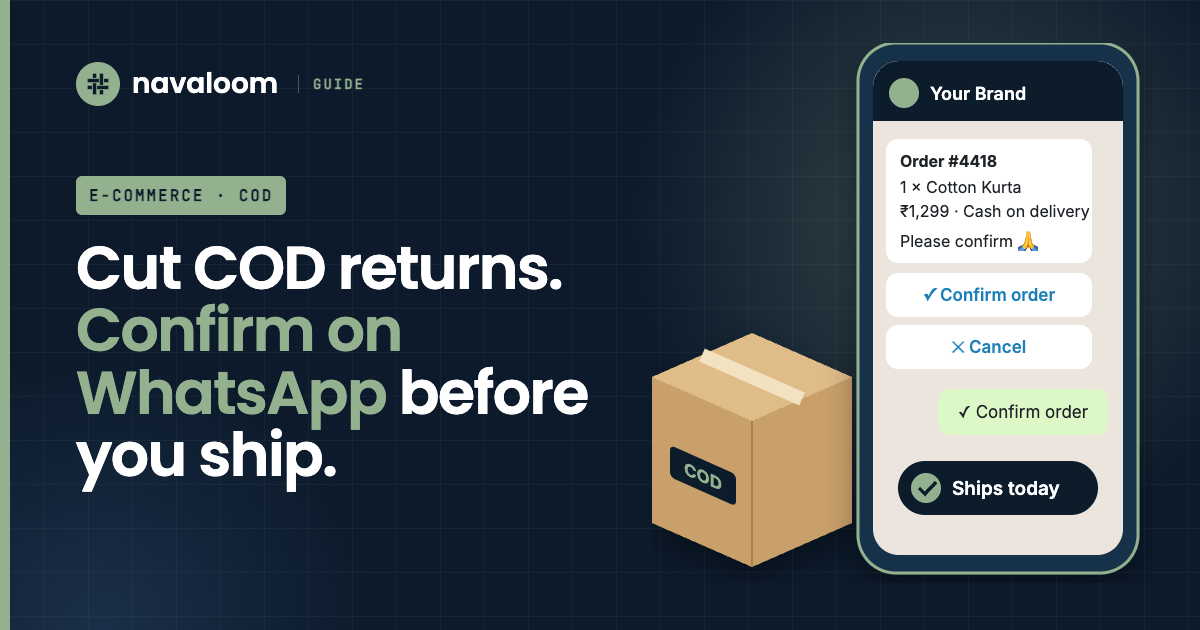
Every cash-on-delivery (COD) order that comes back costs you twice: shipping out and shipping back. Your stock is also stuck on the road for a week or two. Many brands accept this as normal. But a big part of it can be stopped, before the parcel leaves your warehouse.
What is RTO in e-commerce?
RTO means return to origin. It is when a parcel cannot be delivered and goes back to the seller. With cash-on-delivery (COD) orders, the seller usually pays shipping both ways and gets no money for the order.
Quick facts
| RTO | Return to origin: the parcel comes back to you |
|---|---|
| NDR | Non-delivery report: the courier could not deliver |
| When to confirm | Within minutes of the order |
| Best way to confirm | WhatsApp, with Confirm and Cancel buttons |
| No reply? | Call before you ship |
| Failed delivery? | Act the same day |
Why do COD orders come back?
When an order comes back to you, couriers call it RTO (return to origin). If you look at RTO orders one by one, the reasons are usually simple:
- The customer didn't really mean to order. A quick click, a test order, or the same order placed twice.
- The address is incomplete. No landmark, wrong pincode, or a missing flat number.
- The phone is not answered when the courier calls, so the delivery fails.
- The customer changed their mind while waiting for the order.
- No cash at home, or nobody home that day.
Almost all of these can be caught by talking to the customer once, before you ship.
Step 1: confirm every COD order on WhatsApp
A few minutes after the order, send a WhatsApp message with the order details and two buttons: Confirm and Cancel. Keep it short. Write it in the customer's language if you can. In many parts of India, a message in Hindi or Tamil gets more replies than one in English.
What the customer sees
Order #4418
1 × Cotton Kurta (M)
₹1,299 · Cash on delivery
Anna Nagar, Chennai 600040
Please confirm, and we'll ship it today.10:42
Three rules make this work:
- Use an approved WhatsApp template (a "utility" message) through the official WhatsApp Business Platform. Tell customers at checkout that order updates will come on WhatsApp.
- Ship confirmed orders first. Hold the others until a fixed time, for example the next day's dispatch.
- A cancel is good news. An order cancelled before shipping costs you nothing. The same order refused at the door costs you two shipments.
Step 2: decide what happens to each order
Every COD order takes one of three paths
Step 3: fix the address while they are talking to you
When the customer confirms, check the address: does the pincode match the city? Is there a house or flat number? If something is missing, ask in the same chat: "Could you share a landmark near your address?" Fixing an address now takes one message. Fixing it after a failed delivery takes a courier call that often never happens.
Step 4: call the right orders first
Some customers never reply on WhatsApp. Don't ship those without checking. A short call is enough. Call these first:
- High-value orders.
- First-time customers.
- Pincodes where many of your past orders came back.
- Many orders from the same number on the same day.
Step 5: make paying online the easy choice
Some brands give a small discount for paying online. Some ask for a small advance on expensive COD orders, through a UPI link in the same WhatsApp chat. Try it on one product range first. See what it does to your sales and your returns before you change everything.
Step 6: save a failed delivery the same day
When the courier cannot deliver, they send a failed delivery report (often called an NDR). From that moment, the clock is running. If nobody acts, the parcel starts its trip back to you.
The same-day rescue
Step 7: write down why each order came back
Your return percentage alone doesn't tell you what to fix. For every order that comes back, write one reason: not confirmed, address problem, phone not answered, refused at the door, and so on. After a month, the biggest reason is your next job. Also look at returns by pincode, product and courier. Once all the data is in one place, the patterns are easy to see.
Can you do this without a calling team?
None of this is hard. But it must happen for every order, every day, including Sundays and sale days. That is where busy teams fall behind.
Navaloom's agents run this for you. They send the WhatsApp confirmation in the customer's language, check the address, call the customers who don't reply, and follow up failed deliveries with the customer and the courier. Your team only sees the orders that need a decision.
Questions people ask
How do I confirm COD orders on WhatsApp?
Use the official WhatsApp Business Platform and an approved "utility" template. Send the order details with Confirm and Cancel buttons a few minutes after the order. Ship only the confirmed orders.
Do I need the customer's permission to send WhatsApp order messages?
Yes. WhatsApp's rules need the customer's opt-in. A simple way is a line at checkout saying that order updates will come on WhatsApp.
Should I stop offering cash on delivery?
Usually not. Many Indian customers still prefer COD. It works better to confirm COD orders, and to make paying online a little more attractive, for example with a small discount.
What should I do when a delivery fails?
Message the customer on WhatsApp the same day, then call if there is no reply. Send the new date or address to the courier quickly, before the parcel starts its trip back.
Which COD orders should I call first?
High-value orders, first-time customers, pincodes where many past orders came back, and many orders from the same number on the same day.
How do I find the main reason for my returns?
Tag every returned order with one reason, like not confirmed, address problem, phone not answered or refused at the door. After a month, the biggest group is what you fix first.
Sources
What's keeping you up at night?
Tell us the part of your business that costs you the most phone calls. We'll show you how an agent would handle it, on your own data.
Talk to us →